
Project Facts
- Project: HONKA RE:FRAME! Website
- Client: Digital Hollywood Co., Ltd.
- Course launch: April 21, 2026
- Garden Eight scope: Design, Development, 3D Production
- Relevant capabilities: Web design, Creative development, Three.js / WebGL, 3D production, Interaction design
- URL: school.dhw.co.jp/p/honka_reframe/
HONKA RE:FRAME! is a selective class at Digital Hollywood where students from the undergraduate CG/VFX, XR, and UI/UX Design programs learn across their specialized fields. We handled website design and development, and 3DCG production including the figure.
Story and bodily sense
The questions and meanings this class deals with are not given from outside as correct answers. They take shape gradually through dialogue, making with the hands, and rethinking. If that value is conveyed only through curriculum description, the question sits outside the visitor as a theme to understand.
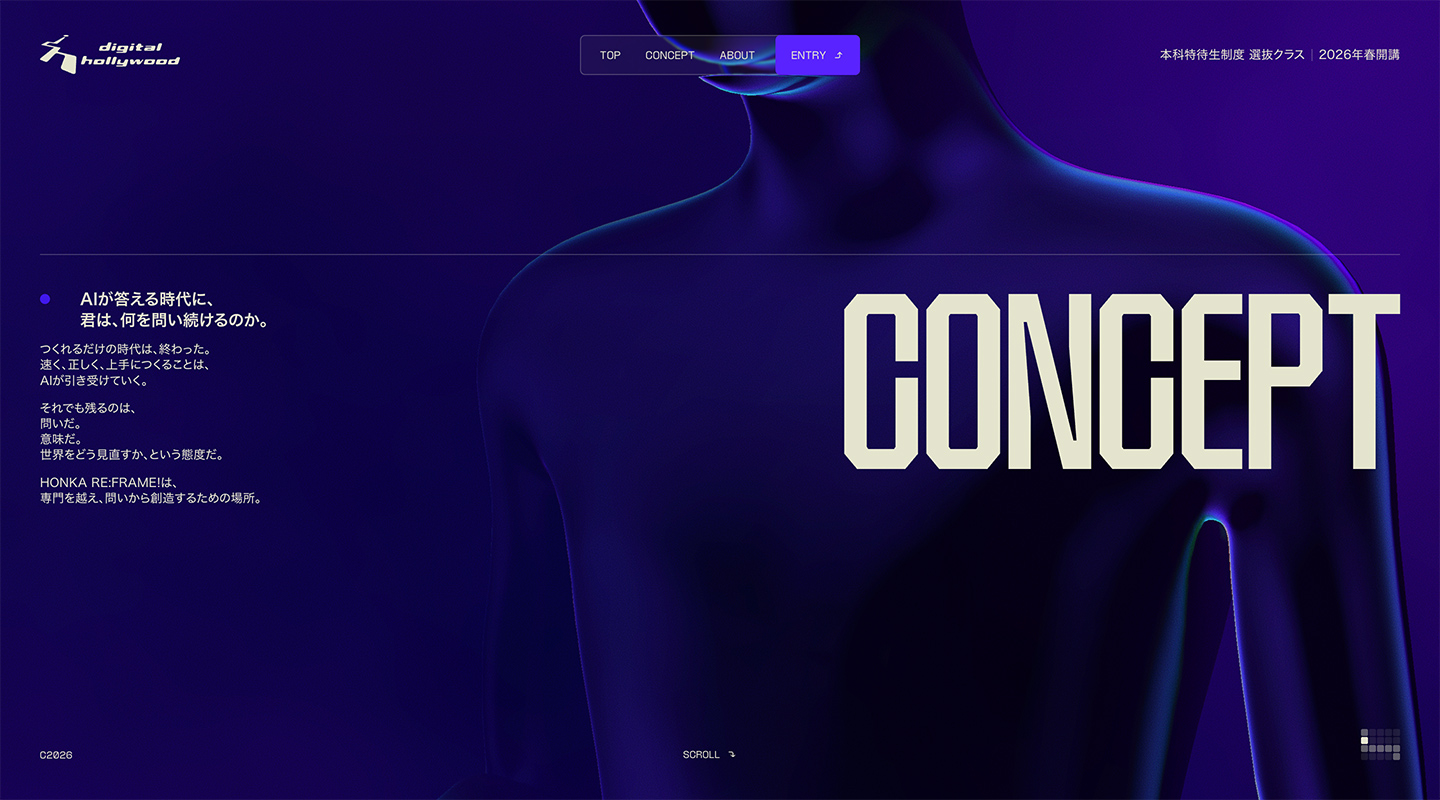
We believed the site needed a clear story and a bodily sense. A space-only structure can create an entrance into a world. Typography-led design can carry ideas strongly. What we wanted to show this time was not a finished worldview, but a person’s stance toward questions. Thinking was not left as something that happens only in the head; it was translated into stopping, reaching out, and walking forward.
From the central figure we removed as many traits as possible that would suggest a specific person. This is not about watching someone else’s story; it is to leave room for visitors to project themselves onto that form. Strengthen anonymity too far, though, and the figure can start to look like a mannequin or a robot. Even in still moments we added gentle motion that suggests breath and a shifting center of gravity, so the body feels present.
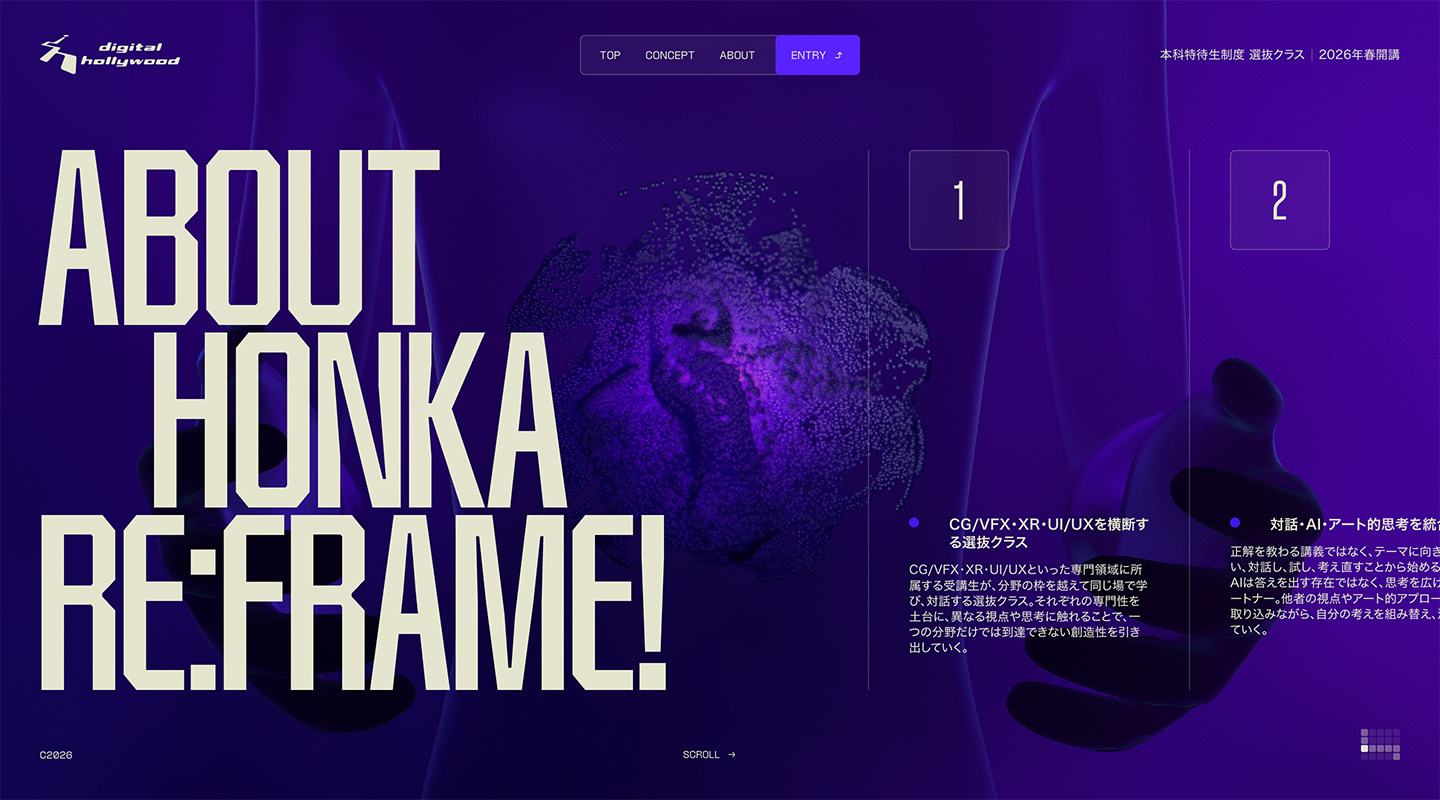
Particles
The orb floating at the figure’s hands represents questions and meaning, and the in-between state on the way toward creation. Countless particles seem to gather, then waver and change into another form. Instead of giving a clear outline from the start, we turned the idea that form appears through time spent facing it into motion itself.
As the scroll progresses, the noise settles little by little. The relationship between the figure and the orb also changes. Visitors move from Concept through About, Purpose, and Curriculum while watching questions draw closer to creation. By overlaying the growing specificity of the text with changes in the 3D state, this becomes time for understanding information, not background effect.
Scroll and 3D
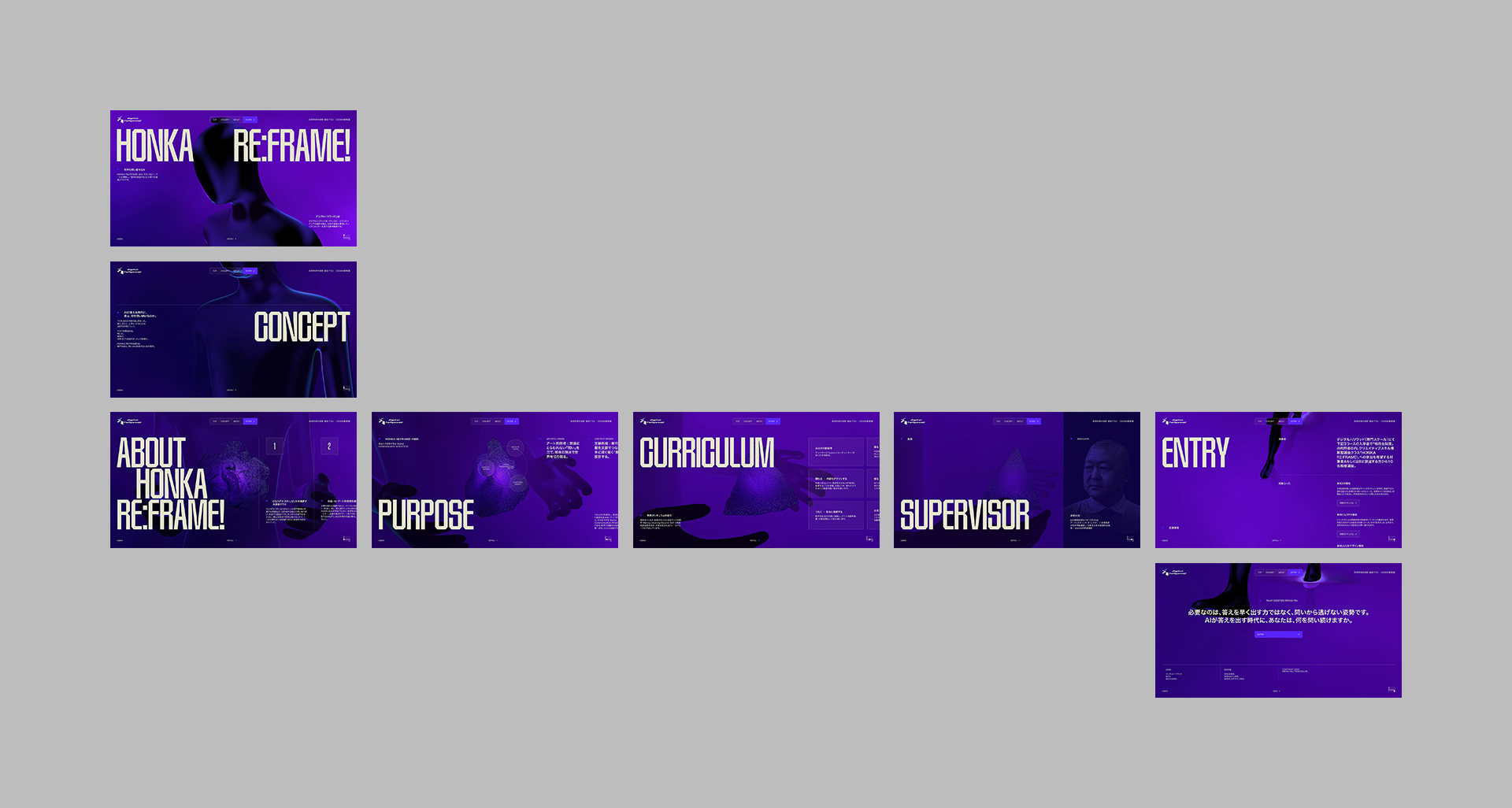
On desktop, the scroll axis switches from vertical to horizontal, then returns to vertical at the end. This change in direction is not only for impression; it marks a boundary where the role of information shifts.
The first vertical scroll moves from Top to Concept and introduces the thinking behind the class. Without asking for strong interaction from the start, it creates a familiar movement that lets visitors focus on the message.
At About, movement turns horizontal. The information that follows—Purpose, Curriculum, Supervisor—does not dig deeper into a single answer; it widens the relationships among ideas, learning, and people that make up the class.
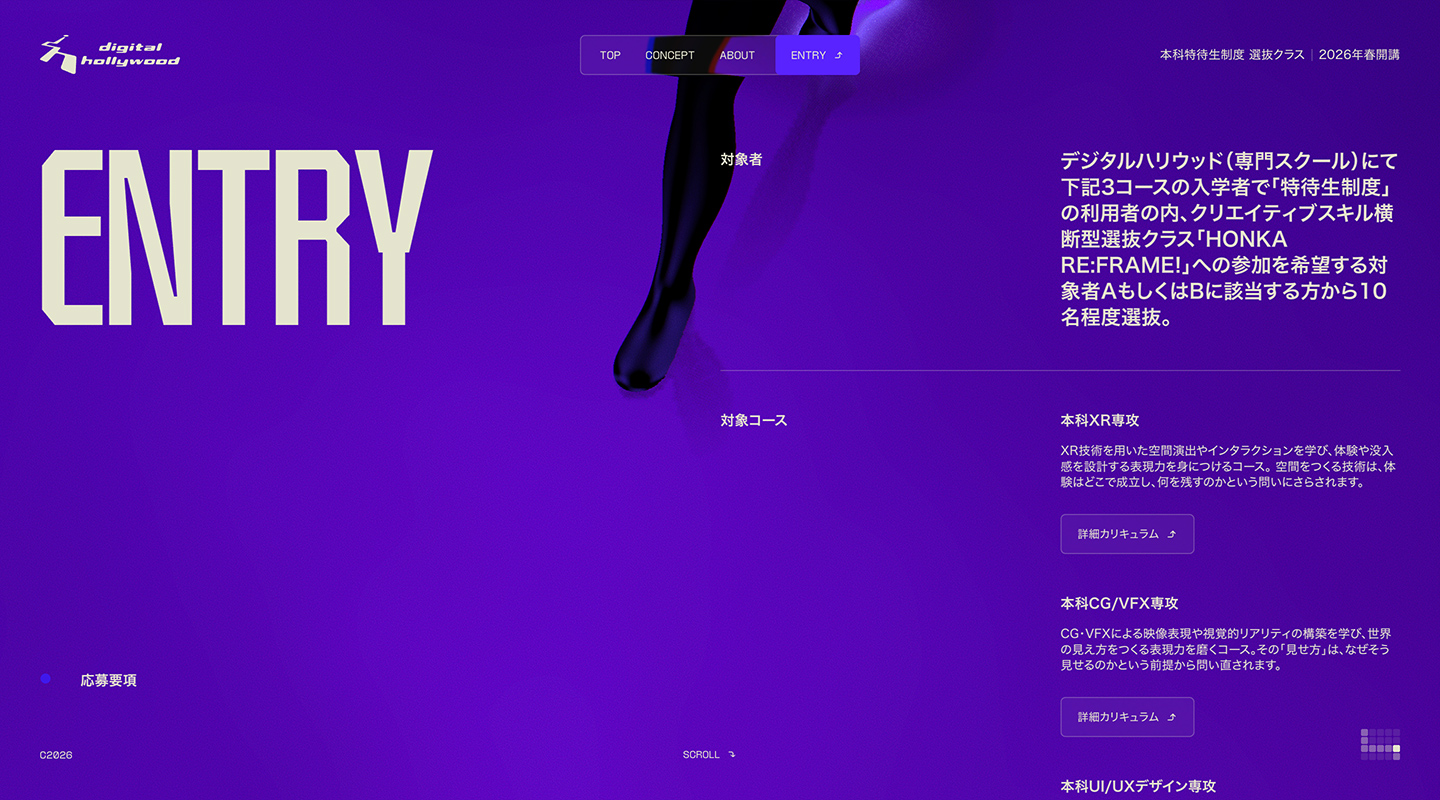
Then in Entry, scroll returns to vertical. At this stage the orb disappears from the figure’s hands, and the body that had been still begins to walk. Each time a foot meets the ground, a footprint appears, and a reflection of the body shows around it. From facing a question toward creation, then toward a future on one’s own. By switching the site’s axis of movement and the figure’s motion at the same time, we brought the experience from a time of reading information into action toward application.
Mobile
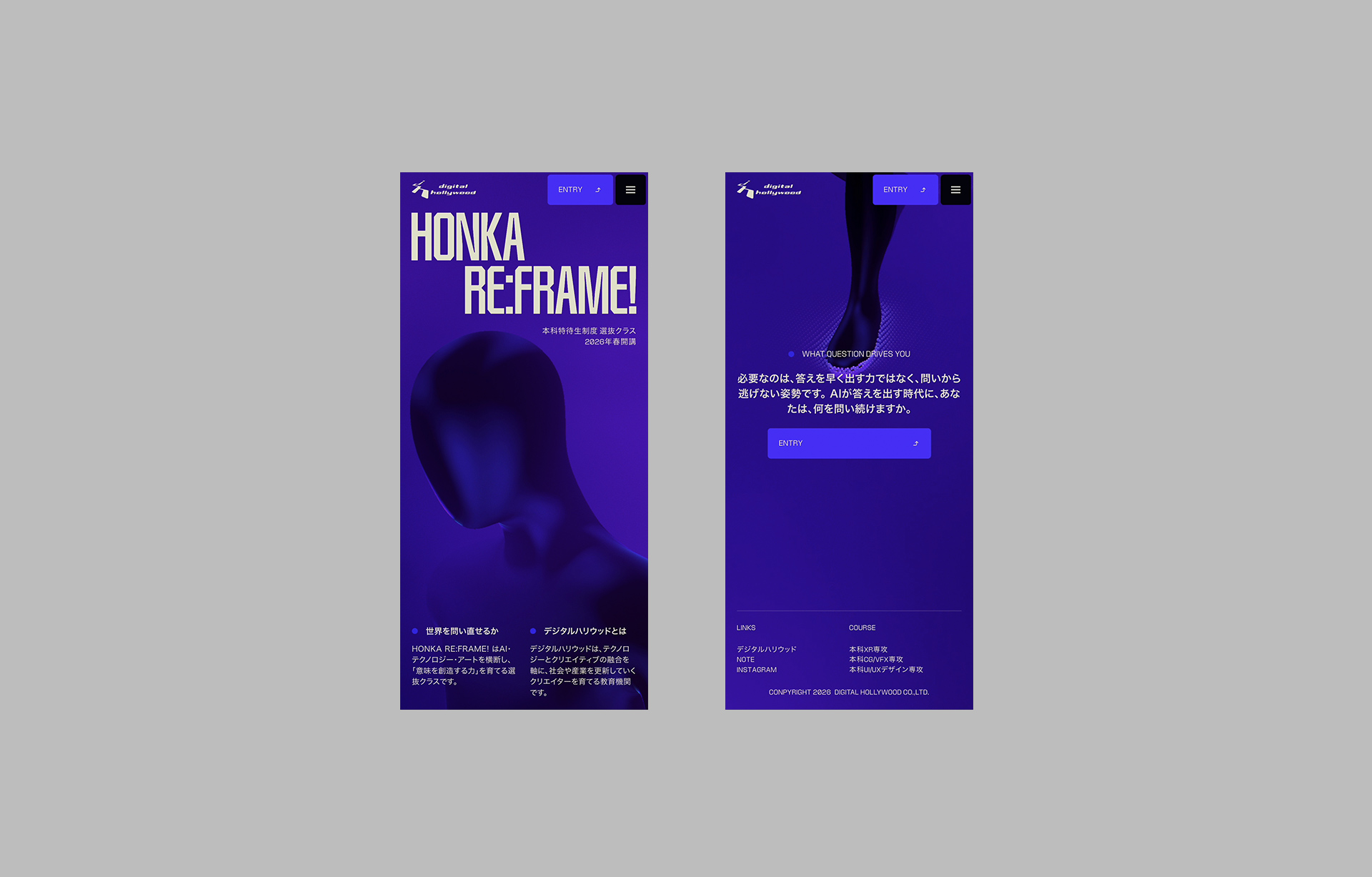
On mobile we did not reproduce the same horizontal movement as desktop; we rebuilt the experience around vertical scroll. Carrying horizontal movement into an environment with different screen width and input would put effect ahead of readability. What we kept was the order from question to creation. We preserved the relationship between figure and orb, the flow of information becoming more concrete, and the final walk forward, while changing the method of movement to fit the device.
Technical notes
The following notes focus on implementation. Three points were central: syncing scroll with WebGL, particles running on the GPU, and tuning footprints generated from the figure’s feet.
Converting scroll into a single progress value
Desktop input is based on vertical scroll via Lenis. When entering a horizontal section, the required travel distance is calculated from each section’s width, and equivalent height is reserved in the scroll area. Vertical movement within that range is converted into horizontal translate3d, so the structure can move from vertical to horizontal without changing the input method.
On the WebGL side, camera position and look-at, particle convergence, fog, depth of field, background noise, character motion, and ground visibility are defined at points such as Top, Concept, About, Purpose, Curriculum, Supervisor, and Entry. These are laid out on a single GSAP timeline and updated together from the scroll progress value. At Entry, the character switches from Standing to Walk, particles are removed, and foot rendering is enabled. DOM and 3D do not keep separate timings; using the same position as the reference makes the text and the figure’s change one continuous sequence.
GPU particle simulation
The orb is not a single 3D model being deformed. Each particle’s position and velocity are stored in float RenderTargets and computed every frame by shaders for velocity and position updates. By swapping read and write RenderTargets, the simulation continues without returning particle coordinates to the CPU. The Points drawn on screen sample the updated position texture.
Credits
- Client: Digital Hollywood Co., Ltd.
- Designer / Developer / 3D: Kenta Toshikura (Garden Eight)
- ※ This article is an AI translation of the Japanese original.